Showing posts with label social_network. Show all posts

Thursday, 27 September 2012

Mendelely Advisors Appreciation Day


 Posted by Andy
Photos used under a Creative Commons By Attribution Licence - © Mendeley.com


Last week I was lucky enough to be invited down to Mendeley Towers based in the Big Smoke to take place in their first ever UK Mendeley Advisors Appreciation Day. The day was not only an opportunity for Mendeley to showcase their brilliant social reference management software, but an informal platform to explain some of the new innovations they had in the pipeline. In addition it was an opportunity for them to say thanks to the network of UK advisors who have been working in outreach programmes to promote the software.

The day was hosted in the very cool Mendeley offices, think Google on a much smaller scale – an open-plan with bikes, foosball table and lots of free food and drinks, breakout areas with comfy sofas. The morning began with a keynote from the three Mendeley co-founders in which they explained the origins of the software and how they got funding and settled on the name Mendeley. If you want to know more about the name Mendeley read this blog post written by co-founder Victor Henning.

The 50 or so lucky delegates were then thrown head first into a team pub quiz which covered all things Mendeley, including some interesting trivia, such as Mendeley once sharing the same office building as Michael Palin, although most of the American and European Mendeley staff didn’t know who he is. Luckily they had heard of Monty Python’s Flying Circus. I was expecting the delegates to be made up of a mixture of teachers, information professionals and librarians - how wrong I was. I only came across four people with library and information backgrounds, with the majority of delegates being PhD students and researchers, with a lot of biochemists! One thing everyone did have in common was a passion for Mendeley and for some a growing interest in all things Altmetrics. It was a very proactive crowd, and predominantly male. The day was interspersed with ‘lightning talks’ from various Mendeley Advisors. It was nice to see Dr. Philip Fowler from the University of Oxford who like us at ScHARR had been successful in moving his students onto the Mendeley platform.


There was no shortage of sessions and presentations by key Mendeley staff on everything from visualisation of data to the new suggest papers function. Whilst desktop, Web and API designers threw their ideas and designs out to small focus groups who in turn were able to make suggestions for what they want adding to the software. This is the way Mendeley works, that it listens to its community and that has helped drive the software’s evolution. I was even able to air my long standing request for a ‘log out’ function on the desktop version to the man who can make it happen Steve Dennis. This is on the cards apparently, so people using Mendeley on public access machines will have peace of mind when turning the application off. Whilst there was an excellent working lunch session by Kris Jack on Mendeley’s new ‘suggest’ function that picks out papers you might like based on previously saved references in your Mendelely database. I suggested the option of being able to suggest papers to people you are connected to, which Kris really seemed to like. As for lunch, very much the gauge of how good an event has been , it was fair to say the food reflected the day - with loads of fresh salads and sandwiches from Pret A Manger and Innocent Smoothies to wash it all down.


Being in Mendeley’s headquarters felt like an academic version of Charlie and the Chocolate Factory in that we were shown some of the cool stuff Mendeley were working on. We had full access to the co-founders who were very keen to hear our feedback and ideas. One session I was ushered to along with other University representatives lead by Mendeley Co-Founder and President Jan Reichelt who wanted to hear our thoughts on pricing and the politics of bringing this new software into wider academic circles. Along with other advisors the discussion revolved around getting the software into institutions via SWETS and the wider issue of copyright. Mendeley not only facilitates the sharing of references, but the actual PDFs, something most institutional librarians and journal publishers would be uneasy about due to copyright implications. My thoughts are the same as Jan’s in that publishers and libraries will need to reassess what rights they give to researchers and students. With cloud storage, researchers and teachers working on the go with tablets and smartphones, cross-institution collaboration and academic developments in Altmetrics and Open Access the shift in how we work in academia is beginning to happen.

Small group discussions continued outside on the rooftop garden with the topic of copyright legislation and Mendeley still in full flow. Mendeley may on the surface seem no different from the likes of Napster in that it facilitates the breaking of licences and copyright, but the reality is that it reflects what most academics want - flexibility. The software has not come by chance either in that the growing interest and momentum for Open Access and Altmetrics is all part of one larger picture. Whether Mendeley can move established packages such as Endnote and Refworks from their reference management thrones is hard to tell. If anything they have picked up the baton from the likes of CiteUlike and Zotero and caused the established packages to seriously rethink what they do. For too long the likes of Endnote have stayed with simple applications that haven’t really evolved with the times. You only have to look at how Microsoft let their guard down allowing Google and Apple to step in any potential gaps in the market. The Mendeley model is still fresh and is not afraid to think outside of the box despite limited resources, whether another package appears and steals their thunder only time will tell.


The day was finished at what Mendeley called Beer O’Clock as dozens of massive rectangular pizzas were delivered to their headquarters with many delegates staying behind well beyond 6pm to chat more about research and Mendeley of course. As I strode back to the train station under rainy skies I felt quite invigorated to push Mendeley further as I can see from what is going on in the background that this software will become increasingly important to the academic community. It cares about how we work, of course it’s a business and needs to turn a profit, but being run by academics and creative minds will put Mendeley in a strong position once the Altmetric and Open Access floodgates finally crack open, and I want to be there to ride that wave.


More Photos from the day can be accessed here http://www.flickr.com/photos/mendeley/sets/72157631610622640/with/8019100296/

Monday, 30 July 2012

Maximize Your Tweets - Infographic

Following on from Anthea's previous post on how to make Twitter work a bit harder for you - the people at Fuseworkstudios have make a wonderful infographic on maximising your Tweets - a Twitter Infographic. Lovely.

Posted by Andy


twitter best practices maximizing your tweets infographicA Twitter infographic by Fusework Studios

Monday, 16 July 2012

Altmetrics - Making the Social Web to Improve your Academic Profile

Posted by Andy


Andy Tattersall and Claire Beecroft will be running this 2 hour workshop next month for ScHARR Staff @ the Information Commons - Classroom E-02 - 1st August 10-12.

To book on the workshop - fill in this very quick form:

Details of the workshop are below.

So you’ve written a paper, presented a paper or taken your poster to a conference - what next? Invariably you start the next paper, apply for the next pot of funding or submit the next abstract - such is the cycle of life that is academia. The model is not too different from that of a music artist, they record an album (write the paper) and then go on tour (present at a conference). What they also do very well is promotion, interviews and marketing, this is key to getting their material out to the masses - yet for the most part in academia we don’t make that connection.
There is however a growing band of professionals and academics that employ the growing number of social media tools out there to promote their work and make connections.

The purpose of this workshop will be to introduce the many tools and techniques you can easily and freely employ to help promote your work and your profile, help make connections and stay abreast of what is happening in your field of research and teaching.

From Twitter to Blogger, from Slideshare to YouTube to SocialCam, from Prezi to Slideshare and from Researchgate to LinkedIn we will touch on to all of the platforms to help project your work and profile. We will also look at the various tools labelled Altmetrics that offer an alternative based on social media for analyzing, and informing scholarship.

The workshop will be hands and on and we will make you do some very scary things, like create a Twitter profile, Tweet, use a hashtag and follow someone. We’ll also make you join Google + and create a circle of contacts, plus upload a presentation up to Slideshare - so bring one with you.
The workshop will show you that these tools are very much geared up to help promote and support your career, that they don’t bite and don’t need to be a burden time-wise. We are entering a world where all media will be social, where traditional marketing has changed and heavily uses these tools and one where there is growing pressure for the academic publishing model to adapt to the changing world.

You’ve worked hard to write that paper, create that poster and make that presentation - so why not shout about it?

Thursday, 5 July 2012

Gaining Consciousness - How the Social Web Opened us up to Ourselves

Posted by Andy

Gaining Consciousness - How the Social Web Opened us up to Ourselves

This is an article I wrote for the excellent University of Sheffield Learning Technologies Blog
Anyone who has ever played the classic computer strategy game Civilisation knows, once you discover the technology advancements to circumnavigate the virtual world it is only a matter of time before you discover a new island or continent. It is this discovery of new lands that invariably leads to new opportunities, riches and occasionally threats. The ability to explore in the game is only possible by developing and utilising a collection of technological advancements, such as mathematics, fishing and a compass. The development and employment of these tools then leads to even more technologies and once that first boat lands on a foreign shore more connections can be made and more resources found. 


At The University of Sheffield we’ve utilised the technologies available to us such as social platforms and those afforded by social media sites such as Twitter and Google+ to build up our own learning and research civilisation. These technologies are now being used to build a more coherent organisation, not unlike the technologies that connected the various civilisations in the aforementioned game and in real history.

uSpace (a social networking platform from Jive), Google+, Twitter, Google+ Hangouts and LinkedIn are just a few of the tools we have access to that have brought together like-minded people from across the four corners of the campus together. Before then the vast majority of staff worked within their own departments and faculties, with connections being sporadic and fragmented, vary rarely did anyone travel to the distant shores of another department or faculty. There are of course exceptions to that with mostly core staff transcending departments, usually those focused around technology, library or support services. 


From my own perspective, I’d worked at the University for 11 years and for the most part I did not operate outside of my department, or certainly had connections that permeated its 4 walls. Connections were limited to the physical location that is Regent Court and opportunities to discover good practice happening elsewhere was down to the odd expedition to University of Sheffield and national conferences and seminars; again there was not much of a legacy from these trips. These expeditions usually resulted in returning with copious notes and leaflets, most of which were added to the growing pile of paper and folders from previous trips on my desk, again there was not much of a legacy.


Pre-2008, cross-departmental communications were limited to emails and mailing/discussion lists and events- again there was little scope for expansion or more importantly a legacy of connections. These experiences led me to believe that going beyond your department was not something people did, we all stayed in our own bolt holes, doing our own thing. It was while we were doing our own thing that there was a shift in the Web in that it suddenly became more social. Of course it had always been social with discussion lists, instant chat and forums, but then uSpace came along. uSpace brought so much of what a lot of staff at the University had been using for some time: blogs, wikis and discussion lists, and placed it into one convenient central hub. Even though uSpace wasn’t the prettiest, most modern looking platform, it did serve a big purpose in that it started connecting people. It not only allowed staff to see who else was out there, but what they were like, what they were doing and what they thought. From having limited connections across the University I was suddenly finding myself talking to people from across my own Faculty (the Faculty of Medicine, Dentistry and Health), the Library, CiCS and the English Department. I was able to find answers to questions, see what great ideas people had and what they were working on, and see how they were using uSpace.

My boat had just landed onto the main continent, and luckily for me the natives were friendly!


The initial connections that were made were invariably informal, very much unlike most initial connections I’d made in person across the campus. They were in essence no different to ice-breakers or the coffee-break at a seminar or workshop. Even better still, some of these electronic connections soon led to meeting these colleagues face-to-face. The connections I made with people I didn’t know, but shared the same ideas with, were very easy to take forward as we already had a common ground whether it be learning, teaching, social media, the Web or technology. 
'Earth from Mars'
Image from NASA Goddard Space Flight Center,
under a CC BY 2.0 license
Once these contacts were made and often taken forward to actual meetings it led to more connections and once I became aware of a person and made a bridge it would lead to another connection. Since uSpace’s inception in 2008 I have made dozens of such connections, which in turn has given me an excellent contacts list covering a wide variety of useful topics. Hopefully in return I’ve become a useful contact for these people. It was one of these connections, Mark Morley from CICS, that introduced me to the term PLN, personal learning network - something I’d built without really realising it. I also came across the idea of the Hive Community- that at the University we are a hive in that we all work together with one goal, to make the University of Sheffield excellent in what we do, whether that be research or teaching, that by being aware of what was happening elsewhere on campus  we would pick up on good ideas and practices and in turn achieve that greater goal for the organisation.


It was not just uSpace that allowed this growth of connections across the University. Twitter, LinkedIn and academic tools like ResearchGate enhanced the network. These tools opened up to me the wealth of knowledge being shared across the campus and much further- I was now aware of the world beyond my continent. This new world offered a constant stream of knowledge that was no different to a communications wire where I dipped into and out of the chatter.


Next up in 2011 the University moved part of its platform over to Google Apps - opening up Docs, Hangouts and Sites. Yet it is Google+ and Hangouts that are helping proliferate the growth of cross-departmental idea and practice sharing. Google+ was different from uSpace for one very big reason, that the networks were already there, many of us already knew about each other. So contacts were made much quicker than before and the stream of wonderful ideas has picked up where uSpace left off. uSpace has not gone, but it’s becoming old money and it’s shame that it was not used by more staff and students in its heyday, but it did serve one very big purpose; it showed a core of staff what was possible within the academic setting. The tools we had all being using on the fly had set the foundations for many of my colleagues to move onto a Google-hosted platform.


Google+ has been picked up quicker by more staff than uSpace was but there is still a long way to go for most. Much of the chatter and information is still being created by the usual suspects but that will change in time. The thing Google+ has over uSpace is that the dialogue has been opened up beyond the University, as external Google+ users have the ability to interact with us - the possibilities for collaboration and networking are potentially endless. 


Questions need answering:

What is Google+? Why should I use it? I have a Facebook account and don’t want another social media presence. I just don’t have time to interact with these tools. There is too much information for me to filter. They are just a reason to muck about and not do ‘proper’ work.

To answer these questions fully would take some time as we all do different jobs, so an answer that works for one person is not applicable to another. As with most social and Web 2.0 technologies it is a simple case of ‘horses for courses’. 


In short, here are a few ideas and suggestions with regards to the above questions - they are by no means comprehensive.


Why should I use Google+? There are many reasons to use Google+: to stay abreast of what your colleagues are doing, to see what resources they are finding useful. It is a great way to communicate with your peers or students using Google Hangouts. It allows you to create events and advertise them within your circles. It is a social network you can use with your students - in case you want to keep Facebook a personal presence and keep your students out of there. It opens you up to the world and make connections beyond the University. 


I have a Facebook account and don’t want another social media presence. That is a tough one to answer as Facebook is without the most popular social networking site and getting people to post in two places can be a lot to ask. I treat facebook as a personal presence and don’t refer to work there as it is the place where most of my friends are right now. Whilst Google+ is where all of my colleagues are and where a lot of my peers outside of the University frequent, I treat it in the similar way to that of Twitter. I accept that some staff use Facebook for work, but in essence the switch to Google+ is an easier one. After a while using both and others such as Twitter, you get a feel of what to post where. There is no reason to believe that Facebook or Google+ will be here forever, they could be gone within a decade, we have to accept that shift does happen.


I just don’t have time to interact with these tools. This statement applies to pretty much all technologies I employ and promote. Google+ does not require a lot of time investment, just a few minutes here and there to share and collect resources. It is an alternative to email as is Twitter, as a communication tool it is very much with the adage ‘horses for courses’
What you put into Google+ and other such social sites you get back in the long run. As an information professional I find that it is not always a case of knowing the answer but knowing who will know it. That is the power of the professional social network.


There is too much information for me to filter. This is a perennial problem for everyone, with much debate on the issue of information overload with some arguing that it does not exist, whilst others say it has been about since the dawn of civilisation. Nevertheless most people find staying on top of all their information a case of fire fighting, so the idea of another information stream can be off-putting. Yet this is a stream that offers two way communication with your peers that builds a long-lasting legacy. Again, only by using these tools can you start to gauge what is best for you, simply not engaging in our line of work is not sustainable for all of us.


Image from James Jordan, through a
CC BY-ND 2.0 license
They are just a reason to muck about and not do ‘proper’ work. Yes they can be, but so can the telephone, email, the Internet, so on and so forth. They are just another form of communication, but one that potentially creates an archive of knowledge, a pattern of dialogue, an informal alternative to the formal. Yet the way such tools work can reveal much about a person. Facebook and Twitter are a prime example of how people use it to bully, abuse and hang their dirty washing out in public. They do this for various reasons. Using these tools correctly requires a good degree of information literacy, and once we learn how to use them we can engage with ourselves and more importantly our students better, whilst hopefully passing the good practice on to those who don’t know how to properly use them. No one can stop you from using the like of Google+ or Twitter to mess about, but they can potentially see you.

The more people that use the tools we now have at the University, the better, as in the long run it will make us more aware of this huge, changing, living organisation we are part of. It will bring new ideas to our own tables, make new connections that will begin to stretch beyond the University and beyond our time working here. Technology drives much of what we do and how we work these days: harness it correctly and it will pay dividends for all of us.

Thursday, 3 February 2011

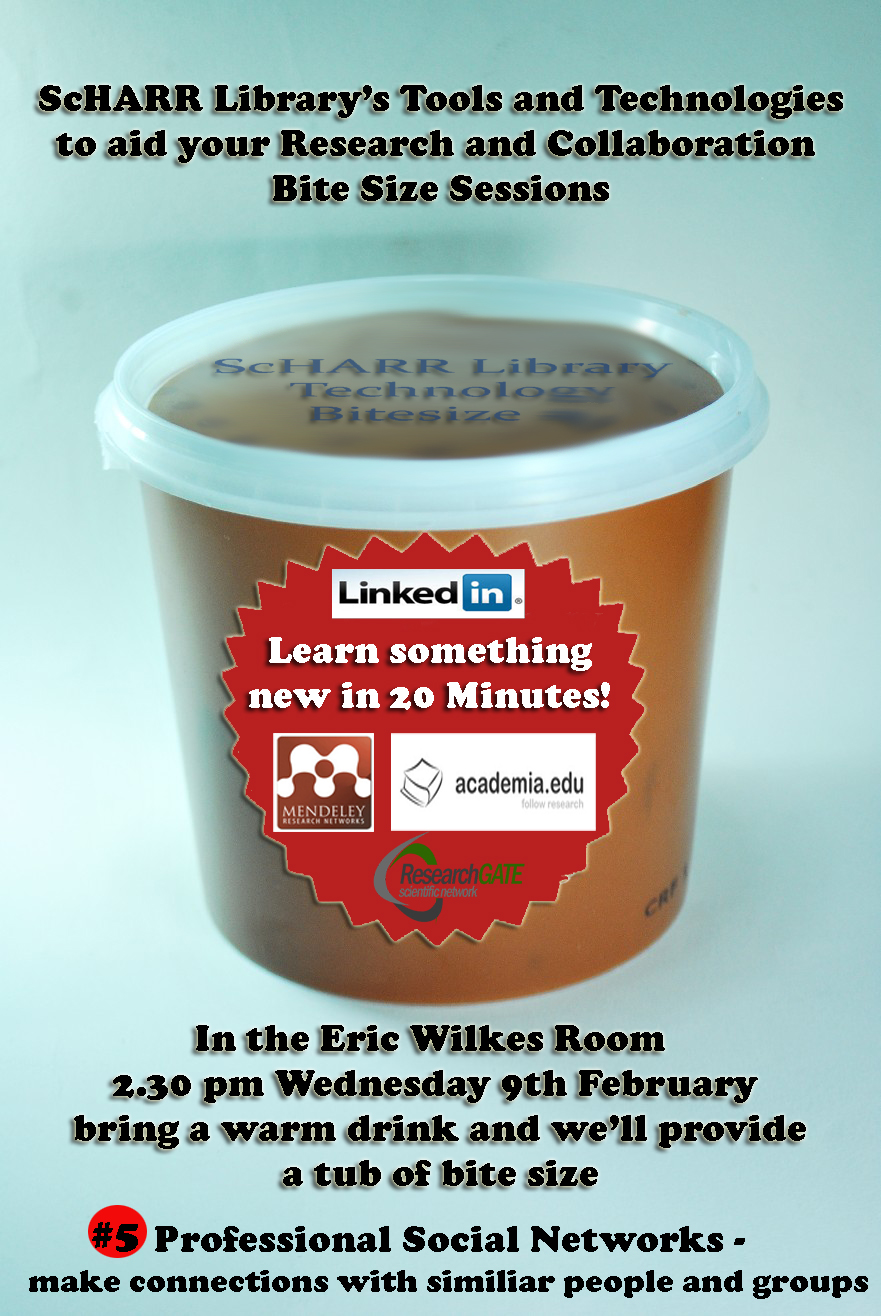
ScHARR Library Bite Size #5 Professional Social Networks

Posted by Andy

The next Bite Size session for Research and Collaboration takes place on Wednesday 9th February in the Eric Wilkes Room.
This time we'll take a whistle stop tour of professional social networks. Find out about the connections you can make, groups you can form and research you can follow, whilst enhancing your own profile.

Friday, 16 July 2010

The Social Network - Coming to a Cinema near you


Posted by Andy

A film about the most talked about website in Internet history starring Justin Timberlake. Whether the phenomenon that is Facebook and the rise of Mark Zuckerberg is enticing to the cinema going public only time will tell. All I can say is look out for a film coming out about the rise of Twitter starring Mark Wahlberg some time soon :-)

Monday, 22 March 2010

NEW - ScHARR Web 2.0 Course


Photo by tobiaseigen
Posted by Andy

ScHARR at the University of Sheffield is now taking bookings for the short course

28th June 2010 Web2.0 Part 1 - Collaborative working across sites effectively

7th July 2010 Web2.0 Part 2 - Creating and managing specialist automated portals and online reference management

The course will be led by Andy Tattersall and supported by other ScHARR members experienced in Web2.0 librarianship and information management.

Further details can be found at


For any enquiries relating to this course, please feel free to contact me at: a.tattersall@shef.ac.uk


Thursday, 26 November 2009

Recommended Website of the Month

Posted by Andy

It's still very early days and there's quite a glut of websites out there professing to be the ultimate tool to enhance research and collaboration in the modern online world. Whether this one is truly any good is hard to say just right now, but the idea ijn essence is good and with more users can probably work well.

Like so many of these tools, it needs input and a community, so this is where the tool fails right now. Who knows what it will be like in the mid-term, but my philosophy is better to have tried and tested and failed to have never tried and tested at all. How cheesy does that sound?

This is what Acawiki says about itself.

Increasing the Impact of Research Using Web 2.0
AcaWiki is like a "Wikipedia for academic research" designed to increase the impact of scholars, students, and bloggers by enabling them to share summaries and discuss academic papers online.
AcaWiki turns research hidden in academic journals into something more dynamic and accessible. All content on the site is licensed under the Commons Attribution license. To learn more about what AcaWiki can do for scholars, students, teachers and the public read the FAQ, or look at a sample summary.